Getting WordPress two factor auth working on iPad, iPhone and Android

I set up two factor (or two step or 2FA) authentication on my WordPress.com account yesterday. It’s an extra layer of security: anyone trying to gain access to your account wouldn’t get in even if they found out your user name and password. That’s because you enter something you know (password) and something you posses – such as a code sent to or generated by your mobile phone.

WordPress uses the Google Authenticator Android and iOS smartphone app, as well as some other options.

I found it very easy to set up. But when I tried to access my WordPress.com account on my mobile devices, I ran into difficulties.

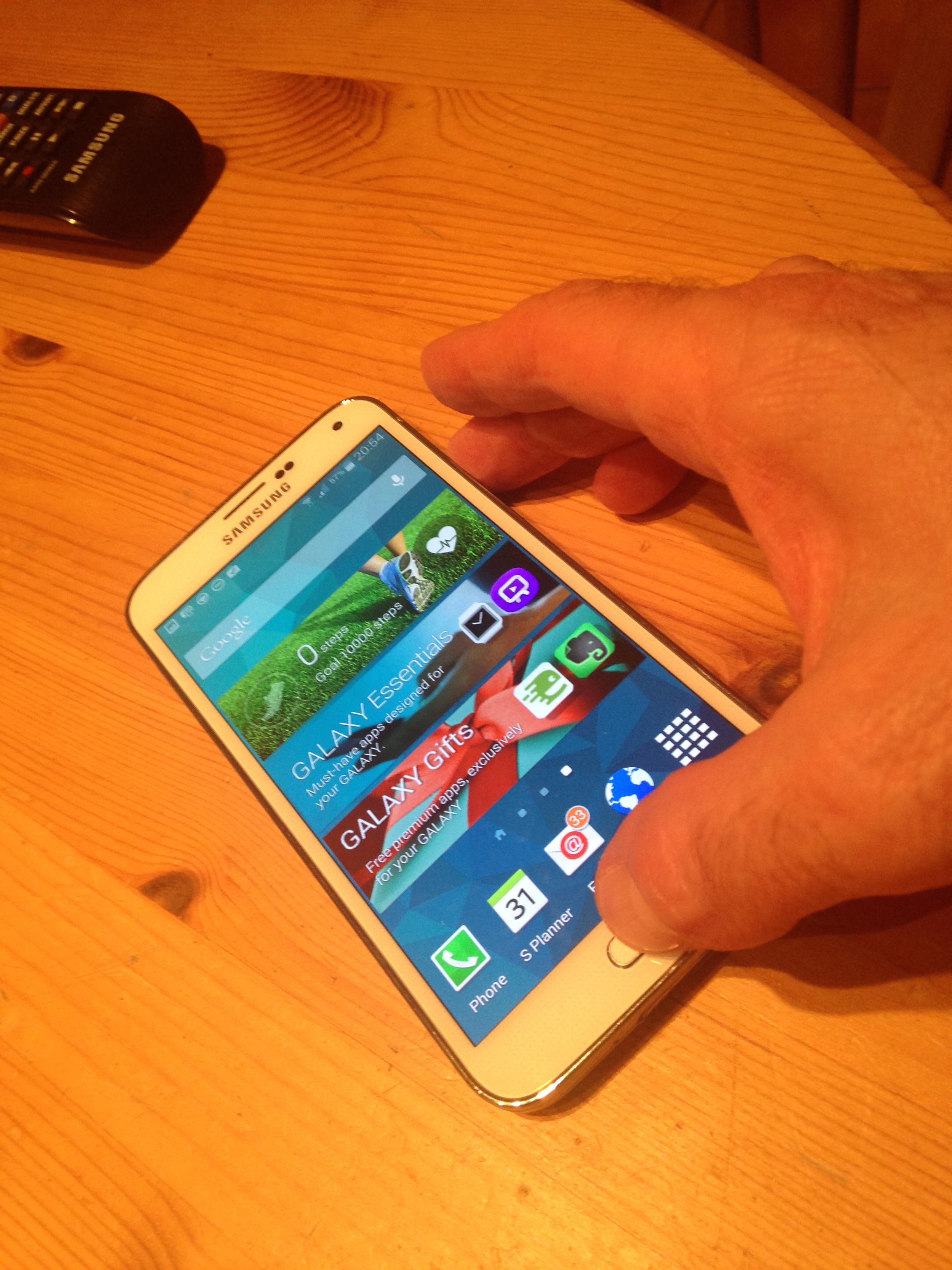
Wordpress two factor authentication on Samsung Galaxy S5

No way in: WordPress two factor auth problems on Android

What I hadn’t realised is that the Google based two step auth that WordPress uses doesn’t (currently) work seamlessly on mobile devices, even Android ones. Or put another way, you need to follow a different route to setting it up to work on your Samsung Galaxy S5, iPhone or iPad. You need to log in to your WordPress account and generate an application specific password for each device. Once you’ve done this, WordPress treats your phone as a trusted device, which means you don’t have to do this again. (You can switch off access remotely if you ever lose your phone.)

To do all this, go to the setting page of your account, and click on the security tab. You can switch on two factor auth here, print back up codes and generate application specific passwords. This is where you’ll find which devices you have set up access for, and revoke access if necessary.)

Incidentally, you’ll need to follow a similar process if you apply two factor authentication for you Google accounts, such as Gmail.

You can find more info on WordPress’s support pages.

The return of the artisan

Around the time that Margaret Thatcher came to power, I learned a new word: artisan. My Cardiff High School history teacher, the excellent Dr Davies, explained that an artisan was a skilled manual worker. The question was prompted by Dr Davies’s lesson on the  reforms of Benjamin Disraeli’s first ministry, including the Artisans’ Dwellings Act 1875.

Little did I imagine back in 1979 that the word would become a marketing buzzword in the 21st century. Yet it has, as Kathryn Hughes examines in her column in today’s Guardian. As she puts it:

“The implication is that everything in these charming, gentle spaces has been done by hand, from scratch and on the premises. The coffee beans are ground to order, the soup was simmered in a battered old saucepan, and the cakes were made overnight in the basement kitchen. The interior design too hints towards “artisanal” without quite spelling it out. There are old refectory tables, chairs from an abandoned cricket pavilion and some mismatched crockery that came from someone’s granny.”

She draws parallels with William Morris’s arts and crafts movement of the 1870s (by coincidence the decade of that famous act of parliament). Morris was keen to improve the lives of workers. Yet few of those workers could afford the hand made furniture inspired by the movement. In much the same way, the new generation of artisanal products and shops carry a steep price tag.

I wonder if the coffee tastes better?

I owe you: talking about friendship debt

Mrs Moneypenny and Rob Skinner from PayPal talk friendship debt

Mrs Moneypenny and PayPal’s Rob Skinner talk about the money owed by friends

I teamed up today with Channel 4’s personal finance expert Mrs Moneypenny to talk about the awkwardness caused when friends don’t pay each other back. We chatted to radio stations across the UK – who found it struck a chord with listeners.

We were talking about PayPal’s survey which showed that Britons are owed an estimated £3.2 billion by family and friends at any one time. That’s £66 per person! It’s not just the cases when you actually hand over cash; these small loans also include the times when you buy a friend a meal, a coffee or takeaway.

A fifth of us would rather go short than ask for the money back. As Mrs Moneypenny put it, money is the last taboo. Many feel more comfortable talking about sex than money, especially when it comes to confronting a friend about a debt.

Help is at hand, in the form of technology. The survey showed that one person in seven is using their mobile to remind friends to repay them. That’s typically a text alert, but apps can be an even better reminder. I explained how you can use the PayPal app to prompt your pal to send you the money with just your mobile number or email address.

PS: Mrs Moneypenny has a new book out: Mrs Moneypenny’s Financial advice for independent women. One of her best tips today was to set aside an hour a week to sort out your finances. For example, when your car insurance comes up for renewal, get  quotes from other insurance companies to see if you can save some money.

Disclosure: I am PR director for PayPal, UK & Ireland

In praise of John Lewis customer service

I love John Lewis, the British department store. It’s always a delight to shop there, with its wide range of stock, attractive stores and superb customer service. And it’s so convenient to shop online at johnlewis.com, paying with PayPal, then collect the goods at my local Waitrose.

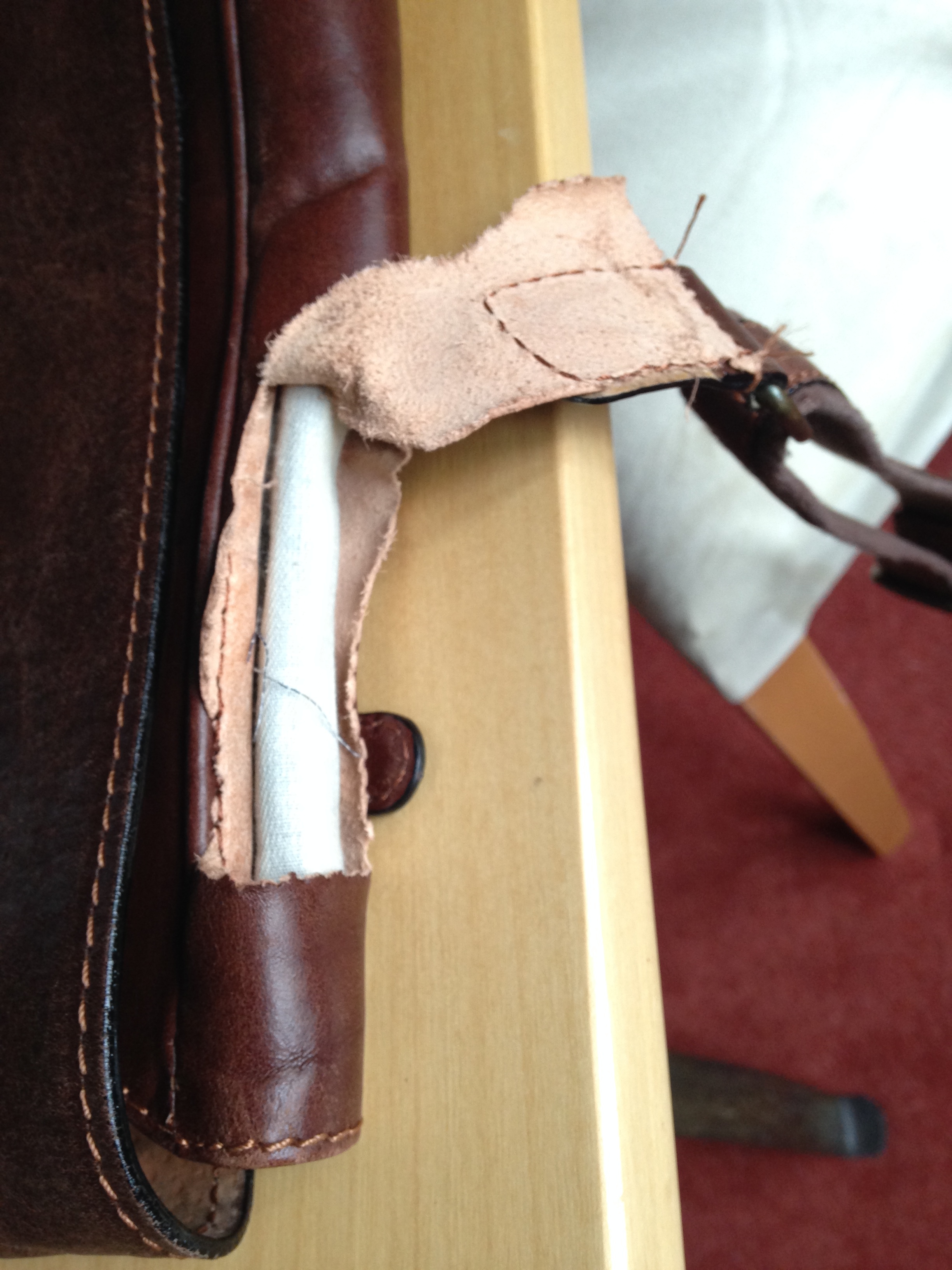
I experienced that terrific customer service again today. I was distraught recently when my John Lewis messenger bag ripped (below) when it snagged on the side of the car seat. I’ve had the bag since Christmas 2012, and found it perfect for trips into London when I didn’t need my laptop – this bag has room for iPad, wallet, mobile phone and EE mifi. John Lewis in Watford swapped the faulty one for a new one without quibble despite the fact I didn’t have the receipt. No wonder John Lewis’s business results are so strong.

John Lewis messenger bag

John Lewis bag ripped – but no need to panic

Disclosure: I am head of PR for PayPal UK

Wrong job: Samsung Galaxy S5 and LinkedIn

A week ago, I shared tips on how to take a screenshot on the Samsung Galaxy S5. Here’s another tip for anyone puzzled by the way calendar entries feature your LinkedIn profile.

When you download the Android LinkedIn app, the S5 by default syncs your calendar with your profile. LinkedIn’s blog explains that this means you can find out about people who email and meet you.

So far, so useful. But the first time I got a calendar meeting alert on the S5, I got a blast from the past. It said I was management trainee at Nationwide Building Society – a job I left in 1987 when I moved to head office as press officer! Friends say they have had the same experience.

LinkedIn sync Galaxy S5

LinkedIn Samsung Galaxy S5

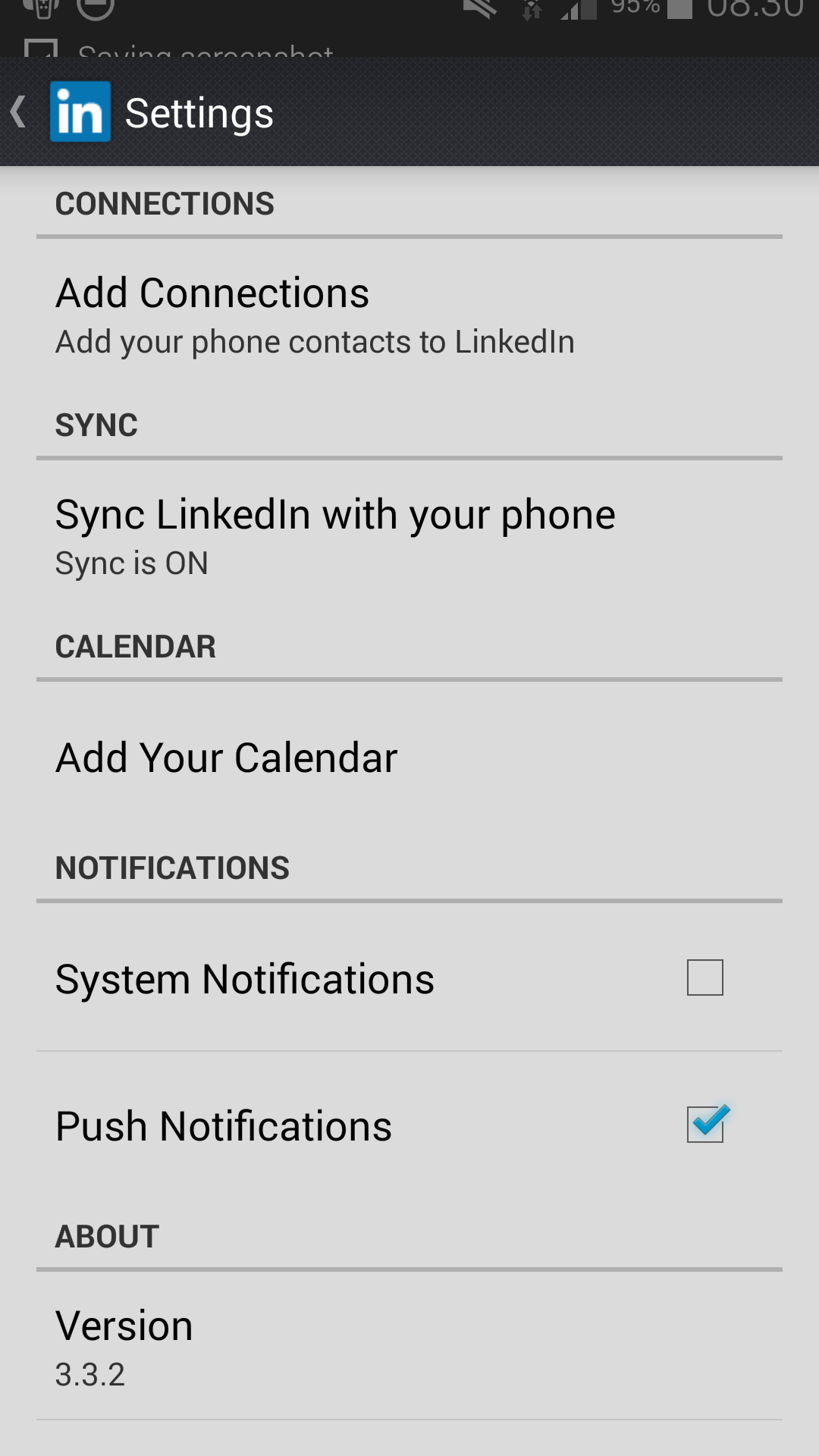
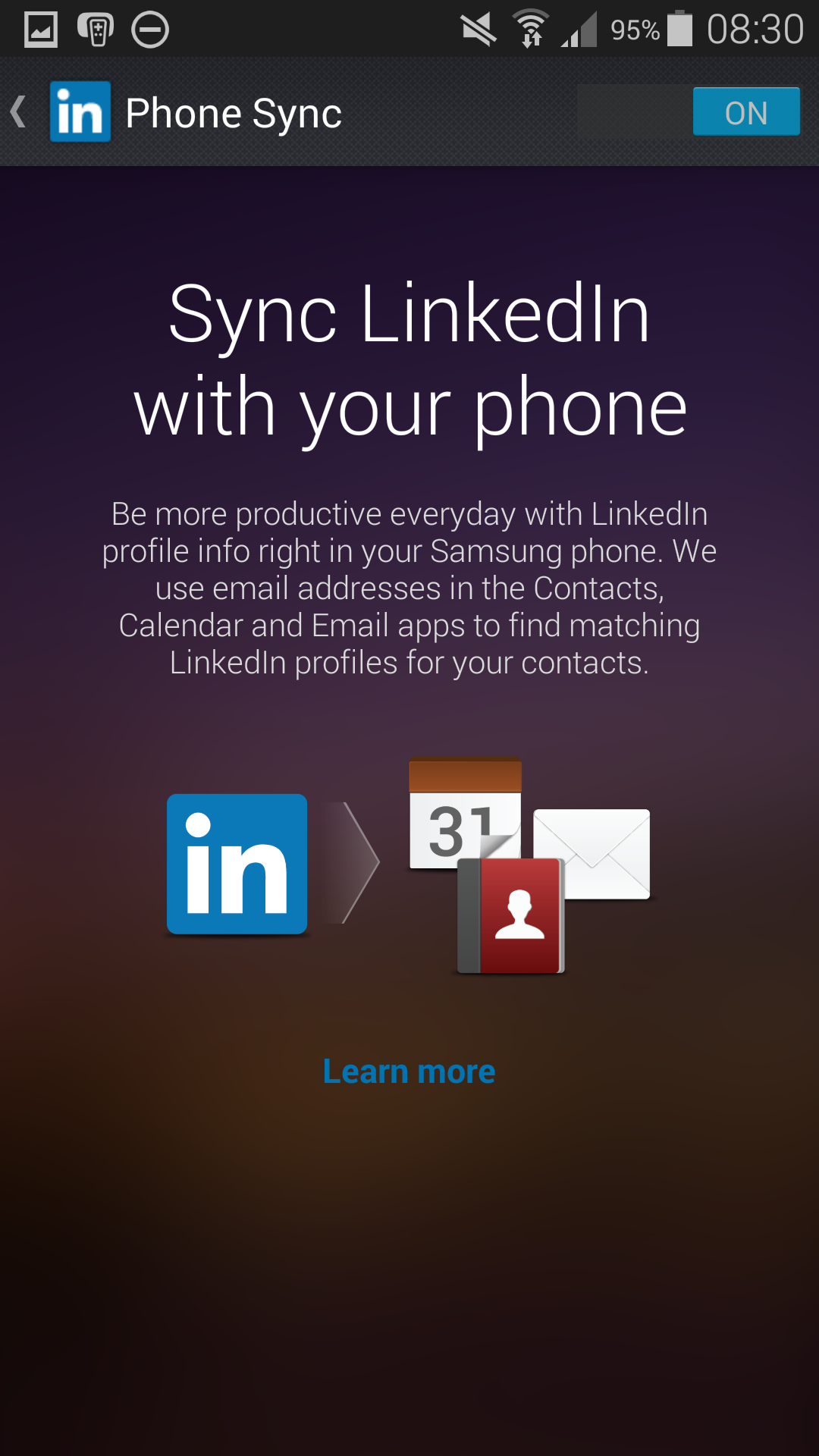
You can see above that my LinkedIn app is syncing with my phone. I’ve not yet found a way to get it to recognise my current rather than my first job. So I’ve switched off syncing. This is simple: open the LinkedIn app, and click the three dots on the top right of the screen to open the settings page. Click on the sync bar on the screen above, which will bring up the sync page, below.

Switch off LinkedIn sync with Galaxy S5

Sync or swim: switching off LinkedIn sync with S5

Toggle the On button to Off (top right) to stop the app syncing.

I’ll keep it switched off until LinkedIn solves the mystery. You may want to do the same, unless you’re desperate to know what everyone’s first job was!

50,000 miles in my Mini

50,000 miles up

50,000 miles up

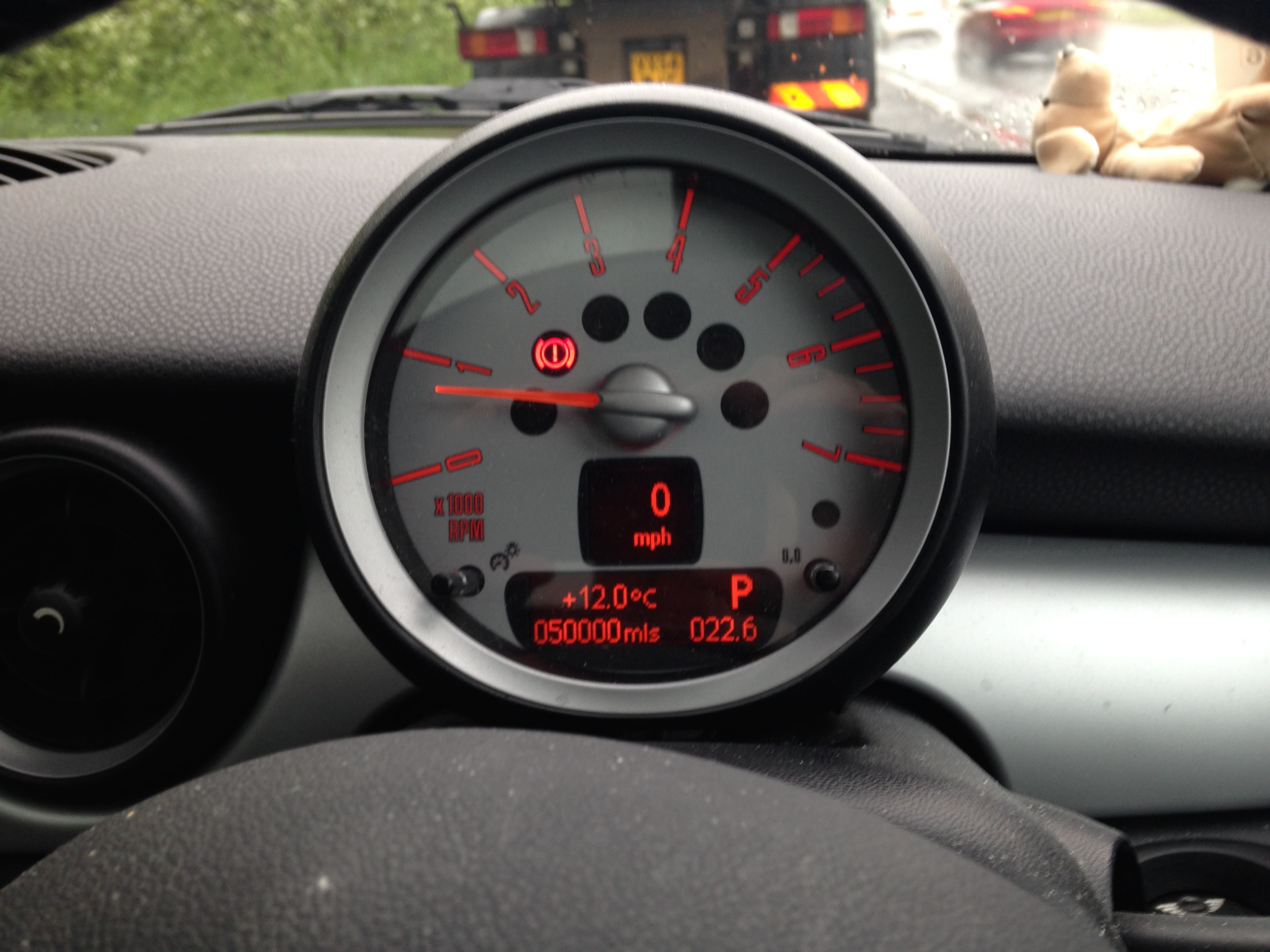
I love my Mini Cooper. I blogged affectionately about it when it proved brilliant in a blizzard a month after I bought it in 2009. Today, it passed the milestone of 50,000 miles on my drive home from work.

These milestones are trivial yet memorable. I remember where I was when I completed the first 10,000 miles. (Passing Swindon on the M4 on the way to Penarth in November 2010.)

I was keen to capture tonight’s moment, and fortunately I had just left the M40 and could park to take the photo. Yes, I know I should get out more….

The Mini has always been great fun to drive. I can weave in and out of traffic – which always makes me smile. Here’s to the next 10,000 miles!

David Moyes, Frank O’Farrell and Cardiff City

David Moyes was fired as Manchester United manager today. The only surprise was that he lasted as long as he did. What are the chances that he follows in Frank O’Farrell’s footsteps and becomes Cardiff City manager?

Frank O’Farrell, like Moyes, took on mission impossible by following a legend as Man United boss – Matt Busby. He lasted longer than Moyes at Old Trafford, but also inherited a team that was in rapid decline from days of glory. He has described how Busby’s presence at United utterly overshadowed his unhappy time as manager. Moyes found Sir Alex Ferguson far more supportive, but Fergie’s extraordinary legacy of success would have been a formidable burden for anyone who took his place.

O’Farrell went on to become Cardiff City manager the season after losing his job at United. It was a big step down, as the Bluebirds were struggling at the foot of the old second division. He got the job at City days after Jimmy Scoular was fired after Cardiff lost the very first game I ever went to see: at home to West Bromwich Albion on 3 November 1973. (That grim game was the perfect introduction to life as a Cardiff City fan in the 1970s and 80s. My Latin teacher said there was an easy way to remember what nihil meant: it was the number of goals City was likely to score.)

Man United legend Ole Gunnar Solskjaer has seemed totally out of his depth as a premier league manager since succeeding the popular Malky Mackay last December. Cardiff could do worse than to offer Moyes the chance to rebuild his reputation in Wales. For all their troubles this season, City are in better health than in November 1973 when O’Farrell was appointed. And Moyes remains a decent manager, as he showed at Everton.

Hodgemoor Wood’s Polish past

Image

Memorial to the Polish village in Hodgemoor Wood, Chalfont St Giles

Hodgemoor Wood is one of my favourite local spots. I love cycling through the woods, near Chalfont St Giles, Buckinghamshire, as I’ve blogged before. Today I took five year old Owen up there for an Easter Monday walk – and to my surprise came across this memorial. I was amazed to learn that some 600 former Polish soldiers and their families lived in a camp here for many years after the second world war.

The families had stayed in Britain after 1945 to avoid returning to their Soviet-occupied homeland. The camp closed in 1962, but there’s still a thriving Polish community in the area, including one of Britain’s most successful Polish centres at Raans Road, Amersham.

As Owen and I walked on from the memorial, we found outlines on the ground of one of the many buildings, which included a church, a shop, post office and hall.

You can read more about the camp at the website about the UK’s Polish resettlement camps.

Today, Hodgemoor Wood has returned to nature.

Hodgemoor Wood today

Hodgemoor Wood today

Snowy Hodgemoor Wood, February 2012

Snowy Hodgemoor Wood, February 2012

Samsung Galaxy S5 camera: first impressions

Once, we bought phones to make phone calls. Years ago, that’s all a phone did. But in the era of the smartphone, we’re just as likely to judge a handset by its abilities as a camera. So I was keen to find out how the Samsung Galaxy S5‘s snapper performed.

Galaxy S5 shot of Richmond, Surrey

Galaxy S5 shot of Richmond, Surrey

First impressions are good, at least outdoors. I got the chance to test the camera at the seaside at Penarth, Wales and Richmond, Surrey, last week. The sun was shining, and the Galaxy S5 captured the colours beautifully.

Richmond, Surrey, captured with an iPhone

Richmond, Surrey, captured with an iPhone

But, as you can see here, my 2012 iPhone 5 was just as capable at capturing the sunny scene. And it’s arguably easier to use as a camera, with its smaller size and physical button (the volume up button) to release the shutter. (UPDATE: I have since realised that you can also use the S5’s volume button to shoot, although it’s hardly instant.)  Finally, the iPhone camera is quicker to open from the lock screen, which may make all the difference between capturing a moment and cursing at missing it.

I did find the S5 better at switching between video and still shooting modes. After all this time, I still struggle to cope with the iPhone’s slider to choose between the two – and find selecting flash on, off and auto modes even worse. The S5 is much more logical, once you remember that clicking the video camera button starts filming, rather than just switching mode.

Where the S5 really wins is when you view photos and videos on that beautiful large screen. It makes such a difference.

Its weakness? Taking photos indoors and in poor light. It’s a weakness it shares with my iPhone 5. It’s too soon to ditch a real camera, although Samsung’s latest flagship smartphone has the advantage of being the camera you always have with you, unlike a bulky SLR. I was glad I had it with me when the Thames was at high tide in Richmond last week (below).

Richmond high tide, seen on Samsung Galaxy S5

Richmond high tide, seen on Samsung Galaxy S5

PS: read my post: How to take Samsung Galaxy S5 screenshot and other tips

How to take Samsung Galaxy S5 screenshot, and other tips

I’ve just joined the Android revolution. My new work phone is the new Samsung Galaxy S5 – and I love it. But having been an iPhone user for five years, I’ve had to learn afresh how to do things that had become second nature in iOS, such as taking a screenshot. Here’s the answer to that question, and the other main lessons I’ve learned in my first week with Android.
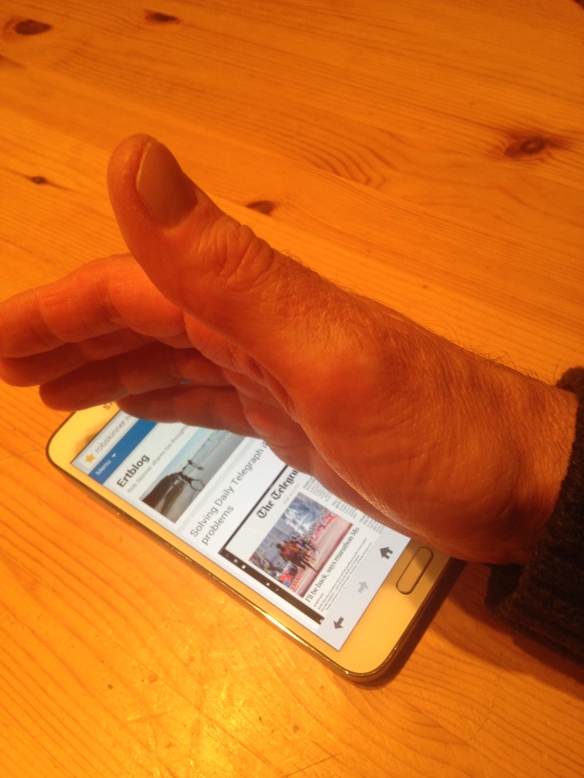
Taking Samsung Galaxy S5 screenshot

Taking Samsung Galaxy S5 screenshot

The easiest way to take a screen shot on the Galaxy S5 is to (literally) swipe the screen with the side of your hand, as if you were wiping it.

Taking screenshot on Samsung S5 with button combination

Taking screenshot on Samsung S5 with button combination

The other option is to hold the home and power buttons. This is like the way you take a screenshot on an iPhone, but it takes longer to take the shot – wait until you hear the shutter noise before releasing the buttons.

My other top Samsung Galaxy S5 tips

Silence is golden…

I loved my S5 from the moment I turned it on. But it’s a noisy neighbour. It whistles and pings at you the whole time. After a few days of saying sorry to family and colleagues, I needed to silence it.
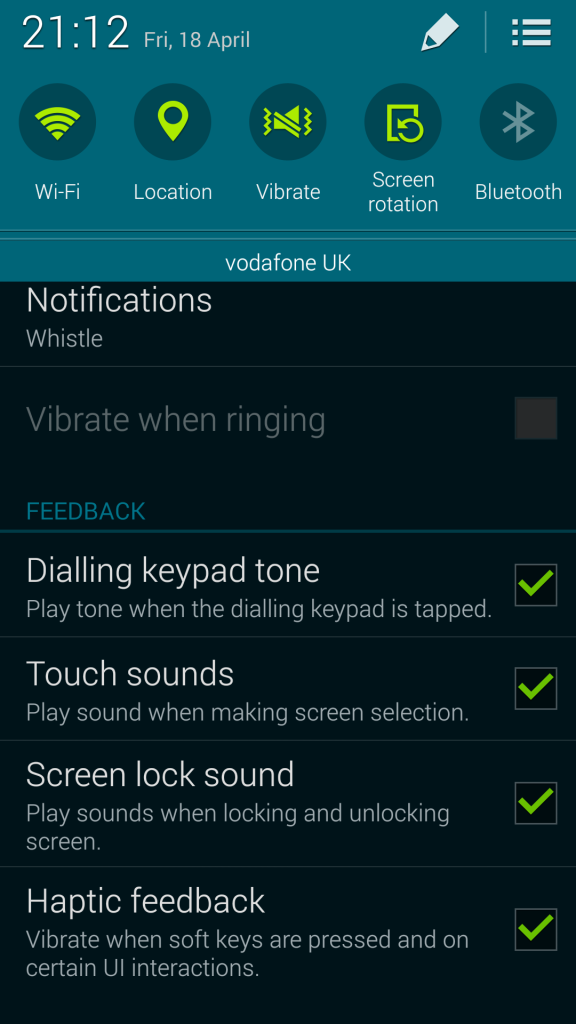
Silencing the Samsung Galaxy S5

Silencing the Samsung Galaxy S5

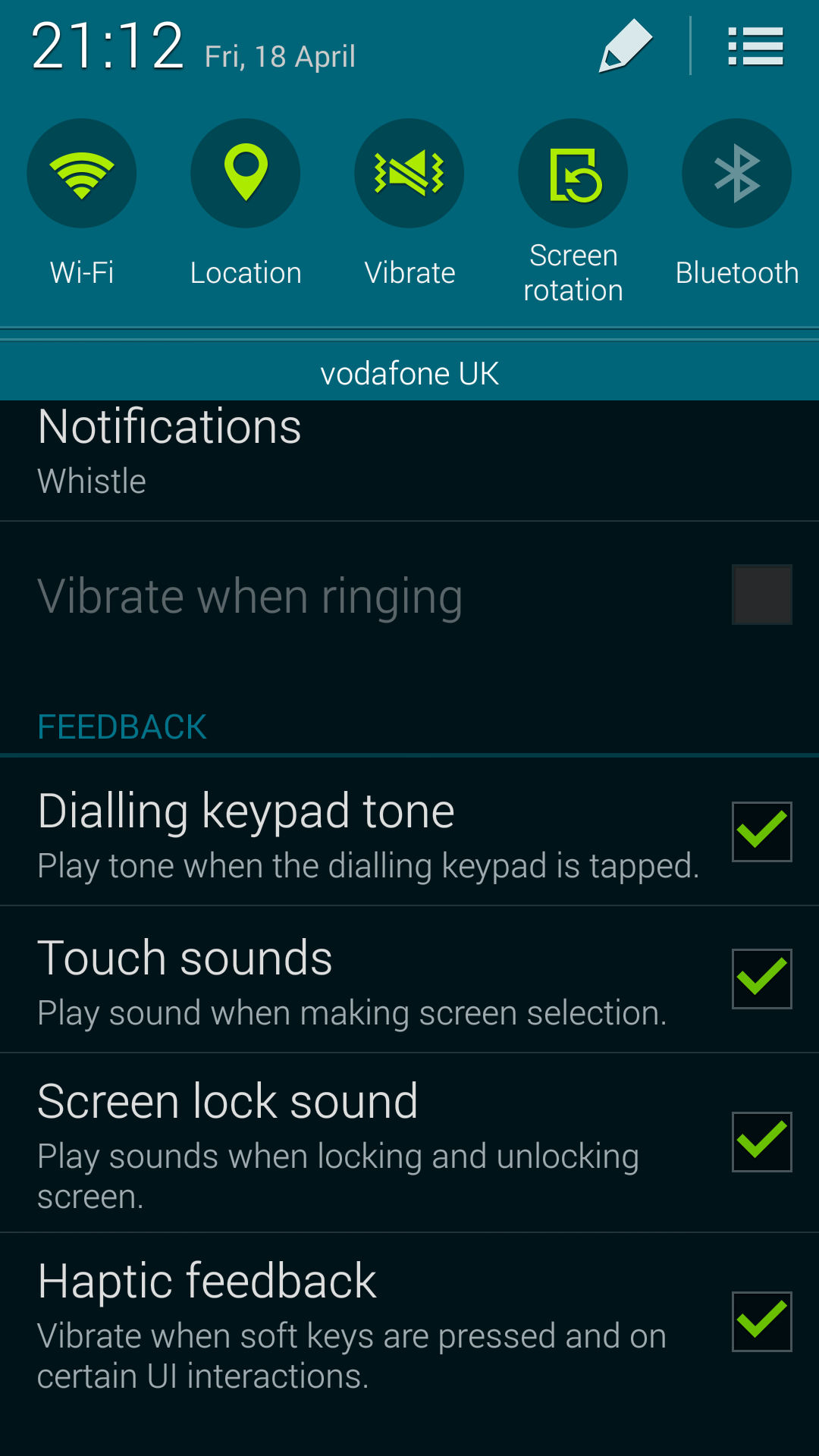
Here’s how to do it. After unlocking the phone, pull down the notifications bar from the top of the screen. Click the Sounds icon and turn it to vibrate (as shown) or mute. You can also go into settings and untick various options, such as Touch sounds and Screen lock sounds (shown) and Notifications.

Keyboard choice

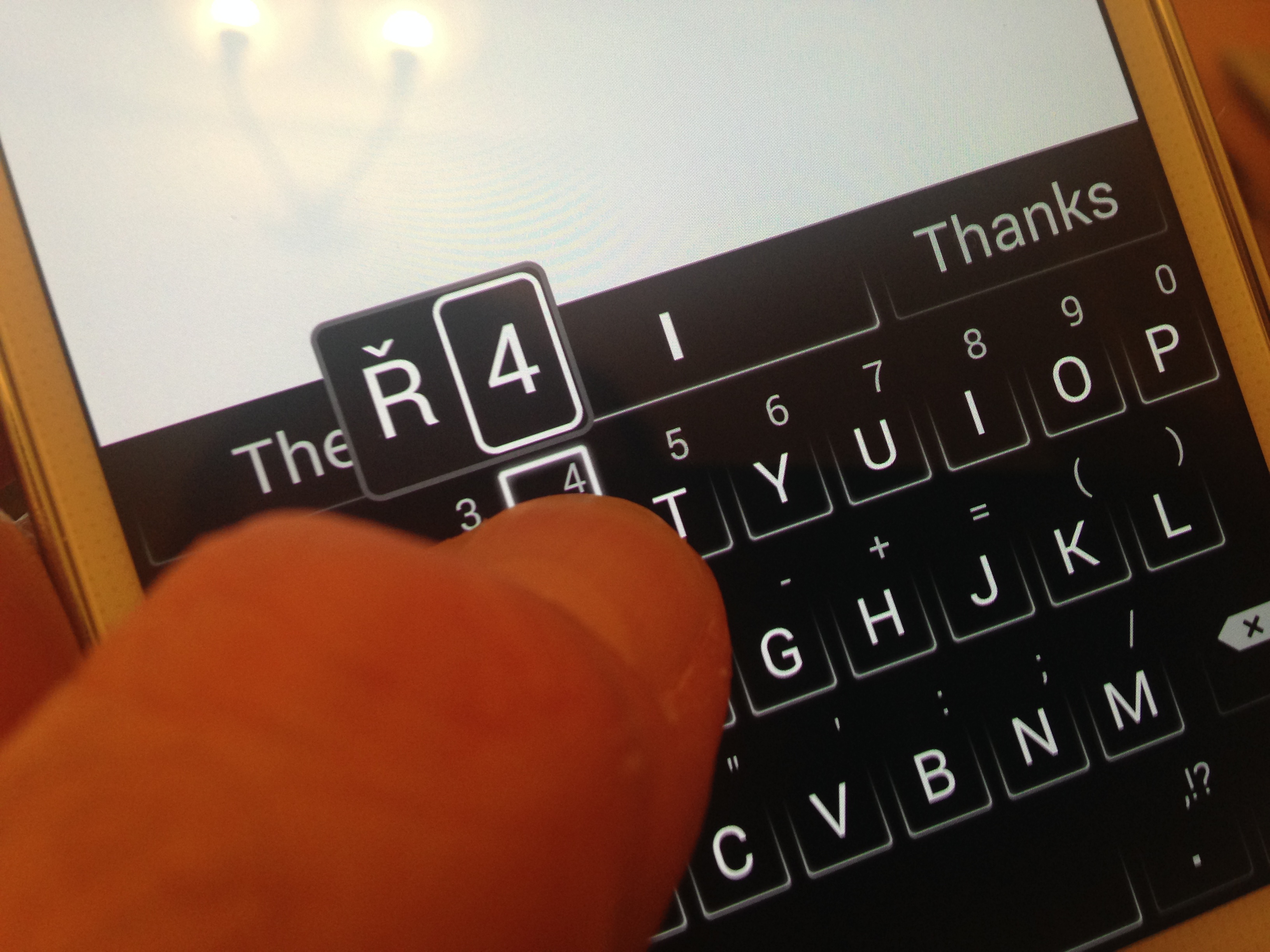
I liked the Galaxy S5 keyboard at first – it was good to have the numbers and letters visible at the same time. But after a few days, I was getting frustrated by failing to find the full stop. (Bottom right, if you’re wondering.) The beauty of Android is you have a choice.
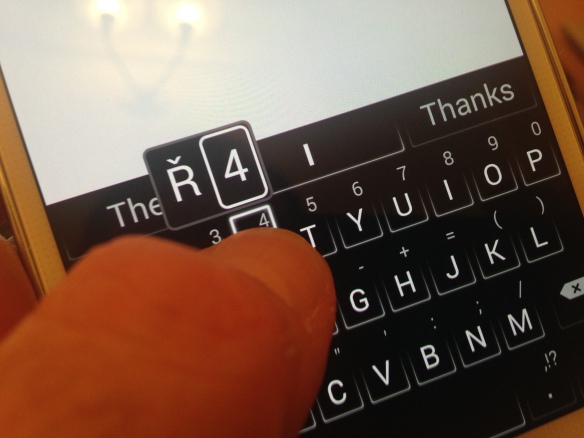
Swiftkey keyboard

Swiftkey keyboard

The SwiftKey Android keyboard is the best I’ve tried so far. It’s easy to use and predicts what you’re about to type very effectively.

Kill My Magazine

When I first got my iPad in 2010, I liked Flipboard, the app that aggregated content from various news sites. But before long I stopped looking at it. Samsung’s My Magazine is a version of Flipboard that takes up a screen of the S5. If you’re not going to use it, you can get rid of it. (The same goes for Galaxy Gifts and the pedometer.) Touch and hold the icon, and drag it to the ‘remove’ dustbin at the top of the screen.

Kill S Voice

The Galaxy S5 comes with two voice control services, Samsung’s own S Voice and Google Now. S Voice is, as you’d expect, deeply integrated in the S5 but you may want to make the phone a bit quicker by disabling it. Double clicking the phone’s home button activates S Voice, and when you press the home button the phone waits for a second press in case you want to use voice control. Disable S Voice by unlicking Open via the home key if you’re not using it regularly.

Give it the finger
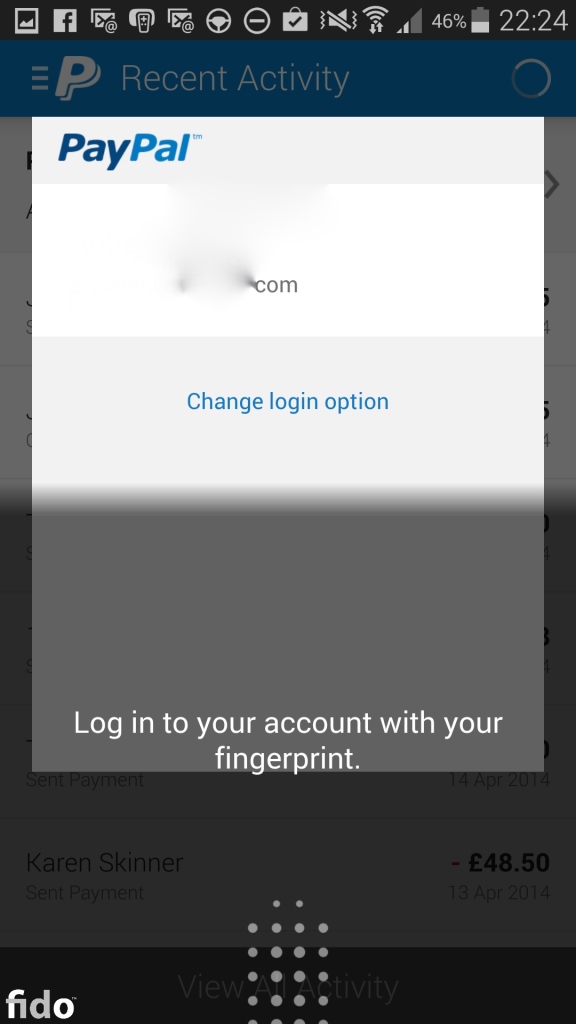
Galaxy S5 fingerprint with PayPal

Galaxy S5 fingerprint with PayPal

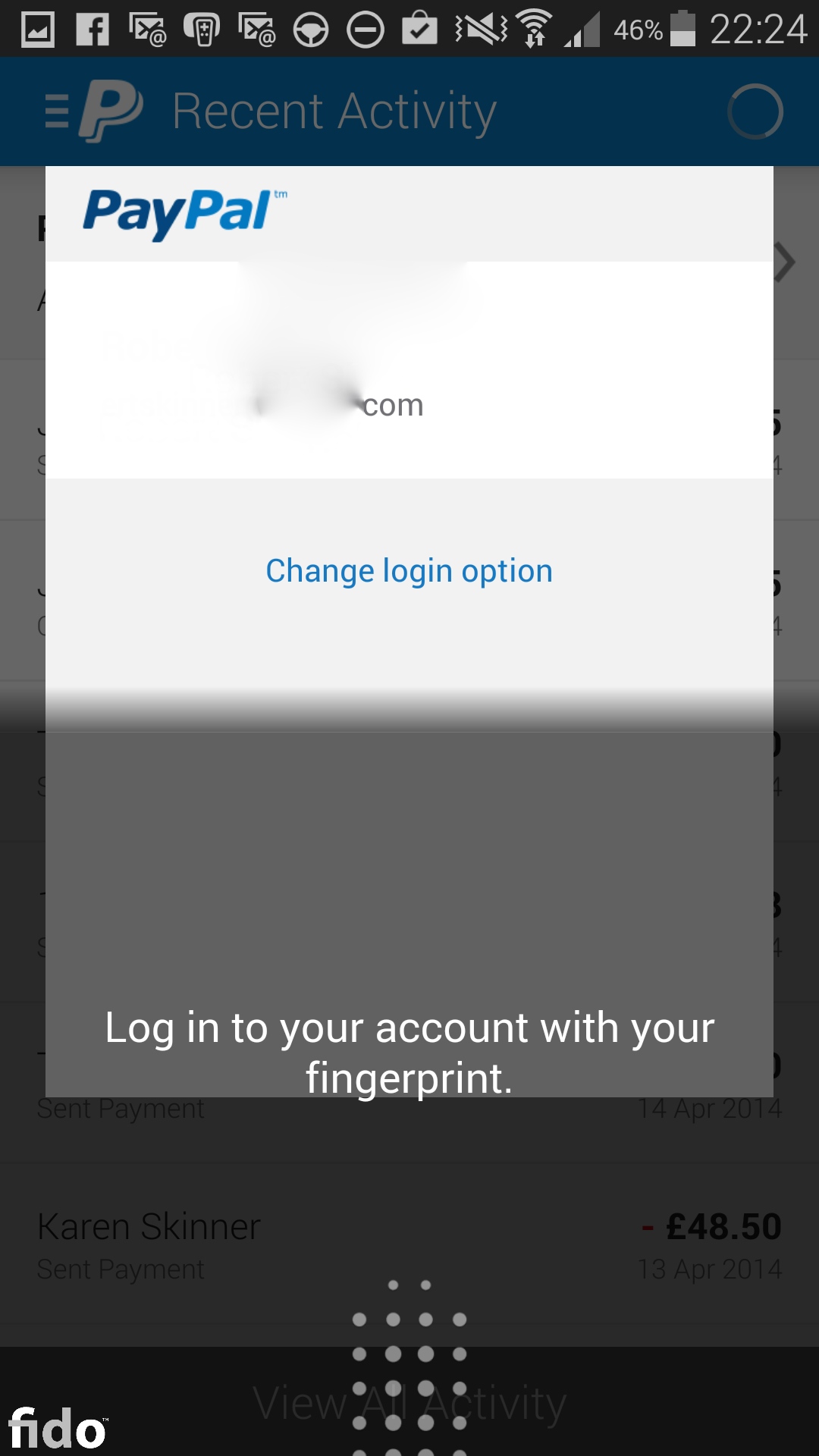
The Galaxy S5 takes fingerprint authentication to a new level. Unlike the iPhone 5S, the S5 lets you use fingerprint authentication to do more: for example, to use your finger to shop and pay with PayPal. I found it easy to use, especially after I had stored different fingerprint angles, such as swiping from the side. Think about which fingers and thumbs you’ll find most convenient and comfortable to use on the phone when you’re out and about – and store these digits. It may take you a day or two to get used to the fingerprint technique: you need to swipe down over the trail and the home button.

Why I love my Galaxy S5 and Android

I’ve fallen in love with my Galaxy S5 over the last seven days. It’s so much nicer than the S2 I used briefly in 2012 after using it for a major media event. The combination of native Android and Samsung’s TouchWiz is much cleaner, especially if you’re moving from Apple’s iOS devices such as the iPhone and iPad. I was ready for a new type of device after almost four years with a barely changed iPhone and iPad interface. And the freedom that Android allows is a bit like leaving home for the first time: you realise that you can decide.

Some reviewers have criticised the S5 for feeling cheap because of its plastic back. They compare it unfavourably with the iPhone 5S and HTC One M8. They’re all great phones but I love the S5’s bigger screen. After living with the iPhone 4 since 2010, I didn’t think the slightly larger screen of the iPhone 5 was an upgrade. Maybe it just shows how unreasonable we are to expect each new generation phone to be a leap forward.

One thing I do miss with the Android phone is Photostream. I love seeing a photo I take on the iPhone appearing almost instantly on my Mac and iPad. I’ve not yet seen any real alternative, given that Dropbox doesn’t work well on my Mac.

Android KitKat

Android KitKat

Easter is a time associated with chocolate. What better time to get to grips with the latest version of Android, KitKat

PS: read my post: Samsung Galaxy S5 camera: first impressions